 By zfcode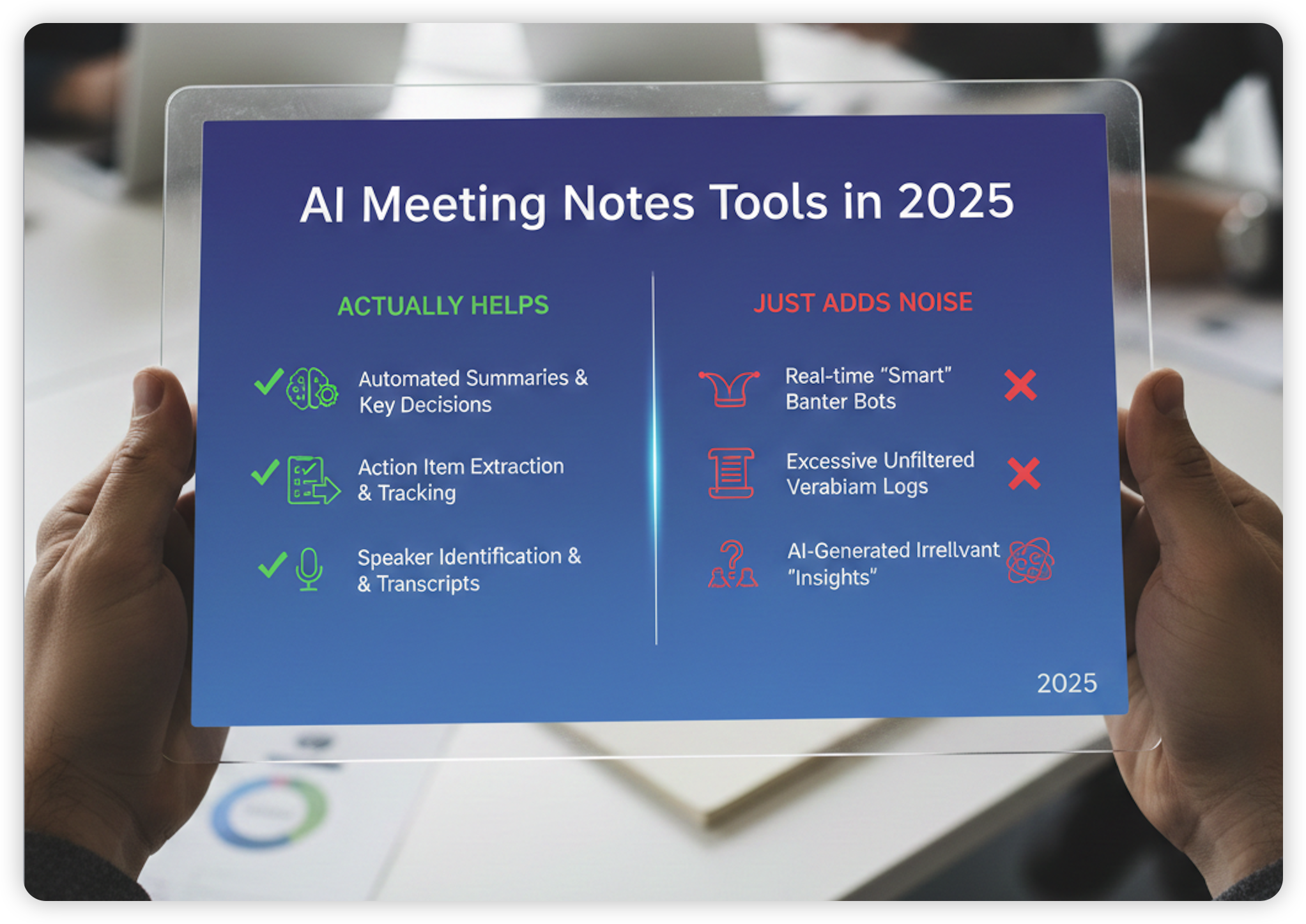
Background: Drowning in Meetings, Drowning in Notes
My workdays look probably similar to yours.
9:00 – weekly team sync on Zoom. 10:30 – client call on Google Meet. 1:00 – one‑on‑one on Teams. 2:30 – some “quick” ad‑hoc catch‑up that is never actually quick.
Somewhere in all of this, I’m supposed to:
- Listen carefully
- Ask smart questions
- Notice risks and next steps
- And also… take clean, shareable notes
In reality, I usually end up with half‑baked bullets in random docs, sticky notes on the desk, and a vague memory of “we said something important about Q2… I think?”
That’s why AI meeting notes tools exploded. They promise one magic sentence:
“Never take meeting notes again.”
It sounded like marketing fluff at first. But after watching these tools mature over the last couple of years, they really did change how my meetings feel – for better and worse.
- I’m less stressed about missing details.
- I’m more willing to stay present in the conversation.
- I’m also much more aware that everything I say might be transcribed, summarized, and forwarded to people who weren’t even there. A Wall Street Journal piece recently pointed out how AI summaries sometimes surface side jokes or casual comments in recaps, which can be awkward or worse. 1
So the real question isn’t “Is the tech cool?” The real question is:
Which AI meeting notes setup is actually worth using for your work, without creating new headaches?
That’s what this article is about.
What AI Meeting Notes Tools Really Do (In Normal Words)
No jargon. Here’s what almost all of them do in some form:
- They listen to your meeting (online or in‑person).
- They turn speech into text.
- They summarize what happened: topics, decisions, tasks, owners.
- They send that summary somewhere: email, Slack, Notion, CRM, etc.
- Later, you can search across old meetings like a Google for your memory.
The differences are mostly about:
- Where they live (inside Zoom/Teams vs separate app)
- How intrusive they feel (a visible bot vs invisible background recorder)
- How good the summaries are for your kind of work (sales, product, internal syncs…)
- How much they cost and what limits they put on minutes or meetings
Three Big “Flavors” of AI Meeting Notes
In 2025, most tools fall into these buckets.
1. Built Into Your Meeting Platform
These are from the big vendors themselves. You don’t install a separate bot; the features are just part of Zoom, Teams, or Google Meet.
- Zoom AI Companion – can generate meeting summaries, action items, and organize notes after calls, and is rolling out dedicated AI note‑taking and “My Notes” features that tie into Zoom Docs and Zoom Hub. 2
- Microsoft Teams Copilot & Intelligent Recap – gives you AI meeting notes, suggested tasks, chapters, and a recap tab that lets you jump to who said what and when; it lives inside Teams and ties into the rest of Microsoft 365. 3
- Google Meet + Gemini (“Take notes for me”) – Google is rolling out a feature where Gemini summarizes the meeting, finds key decisions, and action items directly in Meet. 4
These are nice if your company already pays for Zoom/Teams/Google Workspace and you don’t want yet another vendor.
2. Dedicated AI Note Apps (Bot Joins Your Call)
These tools send a little “bot” participant to the meeting that silently records and takes notes:
- Otter.ai – the classic general‑purpose note taker; real‑time transcription, summaries, slide capture, and live collaboration in the transcript. 5
- Fireflies.ai – heavy on analytics and integrations (CRM, Slack, etc.), with AI summaries, search, and conversation intelligence. 6
- MeetGeek – focuses on automation and workflows; unlimited AI summaries even on its free basic tier, plus integrations and AI agents at higher tiers. 7
- Sembly – offers AI meeting notes, tasks, and automations, with free, Professional, Team, and Enterprise tiers. 8
- tl;dv – records meetings and generates AI notes with smart topics, templates, and timestamped highlights; especially popular with product and sales teams. 9
These tend to be stronger if you want cross‑platform coverage (Zoom + Meet + Teams) and deeper search across all meetings.
3. “Bot‑Free” or Local‑Feeling Tools
These try to avoid the awkward “AI bot has joined” message:
- Jamie – runs on your device (desktop and iPhone), records in‑person and online meetings, then generates summaries and transcripts in 99+ languages. GDPR‑compliant, EU hosting, and “no model training on your data” is a big selling point. 10
- Notion AI Meeting Notes – lives inside Notion; you type
/meetand it starts capturing and summarizing your meeting right in a Notion page, with no external bot joining your call. 11 - Hardware like Plaud Note Pro – a small physical recorder with AI that you place on the table; it records up to 50 hours on one charge and lets you “press to highlight” important moments for the AI to prioritize later. 12
These are attractive if you’re privacy‑sensitive or have many in‑person meetings.
Quick Comparison Table (2025 Snapshot)
Prices are approximate entry points for individuals, usually on annual or base monthly plans; check each site for details.
| Tool | Best For | How It Captures | Free Plan? | Paid From (approx) | The Overall Feel |
|---|---|---|---|---|---|
| Zoom AI Companion | Teams living inside Zoom | Native in Zoom | No (needs paid Zoom) | Included in paid Zoom Workplace plans | Seamless, low‑friction if you already use Zoom |
| Teams Copilot / Recap | Microsoft 365 organizations | Native in Teams | No (needs Copilot or Teams Premium) | Add‑on / Copilot license | Deeply tied to M365 docs and chat |
| Google Meet + Gemini | Google Workspace users | Native in Meet | Limited rollout | Part of certain Workspace tiers | Simple, minimal extra setup |
| Otter.ai | General‑purpose meeting notes | Bot joins / direct record | Yes (300 min/month) 13 | Pro ≈ $8–$10/user/mo | Familiar, straightforward UI |
| Fireflies.ai | Sales + teams with heavy integrations | Bot joins | Yes (limited) 6 | Pro ≈ $10/user/mo (annual) | Powerful but can feel busy and “heavy” |
| MeetGeek | People who love automation & workflows | Bot or no‑bot recorder | Yes (3h/mo) 7 | Pro ≈ $9.99/user/mo | Very “system‑builder” friendly |
| Jamie | Individuals & teams wanting privacy | Local app, no meeting bot | Yes (10 meetings/mo) 14 | Standard ≈ 24€/user/mo | Calm, minimal, privacy‑first |
| tl;dv | Sales / product calls, highlight‑driven | Bot + Chrome/desktop app | Yes (with some limits) 9 | Paid tiers vary | Feels like a smart video notebook |
| Notion AI Meeting Notes | Teams living in Notion workspaces | Inside Notion desktop app | Limited within Notion AI limits 11 | Part of Notion AI add‑on | Great if Notion already = your brain |
How These Tools Actually Feel to Use
Here’s where the marketing claims meet everyday reality.
Otter.ai – The “Default” AI Notetaker
Otter is usually the first name people try.
- Typical experience:
- Connect calendar → Otter bot auto‑joins Zoom/Meet/Teams calls. 5
- You open a web page or app and watch live subtitles appear.
- After the meeting, you get a transcript plus a summary and key points.
The feeling:
- Comforting if you’re anxious about missing details.
- Slightly distracting the first few times when you see “Otter.ai” as a participant.
- Good enough summaries for decision logs and follow‑up emails in general business meetings.
Where it annoys me:
- The free tier’s 300 minutes/month and per‑conversation limits are easy to burn through if you live in meetings. 13
- Summaries are okay but not magical; you still need a quick skim before forwarding to a client.
Good fit if: You want a proven, general tool and don’t mind a visible bot.
Fireflies.ai – Powerful, But Can Feel Like a Command Center
Fireflies is like Otter’s more intense cousin.
- It joins your calls, records, and generates detailed transcripts and AI summaries. 6
- You get topics broken down, talk‑time analytics, and integrations into CRMs and tools like Slack and Notion.
The feeling:
- Great if you work in sales, customer success, or leadership and need to revisit what was said in detail with numbers and trends.
- The dashboard can feel overwhelming for someone who just wants “simple notes, please.”
A real‑world wrinkle:
- Fireflies recently had a viral story about their very early days, when “AI” notes were actually the founders manually typing during clients’ meetings. That was years ago and the product is automated now, but it did raise trust and privacy questions in the community. 15
Good fit if: You want rich analytics and deep integrations and you’re okay with giving a lot of data to a specialized vendor.
MeetGeek – For People Who Love Systems and Automations
MeetGeek feels like it was built for the colleague who has 50 Zapier automations already.
- Free tier gives you 3 hours of transcription per month, with unlimited AI summaries. 7
- Paid tiers add: templates for different meeting types, AI agents and workflows, CRM/task integrations, and pretty strong analytics.
The feeling:
- Very satisfying if you like building a “pipeline” from meeting → summary → tasks → CRM → follow‑up.
- You can make it auto‑send follow‑up emails, drop notes into project tools, and generate customized summary formats.
Where it can be too much:
- If your needs are simple, the options can feel like overkill. You might spend more time configuring than actually reading notes.
Good fit if: You enjoy automation and want meeting notes to be just one piece in a larger workflow machine.
Jamie – Bot‑Free and Privacy‑First
Jamie takes a different angle.
- You run it on your device (desktop or iPhone).
- It records your meeting audio (in‑person or online), then generates transcripts and summaries, with speaker labels and action items. 16
- No bot shows up in the meeting; it just quietly does its thing.
The feeling:
- Much less socially awkward in client calls or small internal meetings. No one sees “AI Notetaker” joining.
- More trustworthy for sensitive discussions because they emphasize EU hosting, GDPR compliance, and not using your data to train models. 10
Real constraints:
- The free plan caps you at 10 meetings per month with 30‑minute limits; paid plans raise the limits and start around 24€/month. 14
Good fit if: You care a lot about privacy, hate bots joining meetings, and are okay paying more for that calm, local feel.
tl;dv – Meeting Video as a Highlight Reel
tl;dv is very popular with product and sales folks.
- It records your calls and uses AI to create “smart topics” and timestamped summaries. 9
- You can “pin” moments during the meeting, and AI will summarize that moment and tag it. 9
The feeling:
- Less like plain notes and more like a highlight reel of the meeting.
- Great when you need to go back and rewatch just the part where a user complained, or a client argued about pricing.
Nice touches:
- Exports summaries to other tools, and can auto‑update CRMs and send follow‑ups on paid tiers. 17
Good fit if: You routinely share clips from meetings (for product, UX, or sales) and want notes plus video context.
Notion AI Meeting Notes – For People Who Live in Notion
If your team basically lives in Notion already, this feature is surprisingly powerful.
- You trigger AI Meeting Notes with
/meetor a shortcut in the Notion desktop app. - It captures, transcribes, and summarizes meetings directly into a Notion page, mixing transcript and your own typed notes. 11
The feeling:
- Very “natural” if your projects, docs, and tasks are already in Notion.
- No need to copy/paste recaps from a third‑party tool; everything is already in the same workspace.
Real‑world friction:
- The feature is still evolving; some users mention needing to manually connect notes into databases to keep things tidy, or juggling how recurring meetings map to pages. 18
Good fit if: Your team already uses Notion heavily and you want meeting notes to just be another Notion block, not a new app.
Zoom / Teams / Google Meet Built‑Ins – Low Friction, But License‑Heavy
All three big players now have some flavor of AI meeting notes.
The good news:
- Very low friction. There’s no extra account, no bot, no extra UI to learn.
- Summaries and tasks live right where you already check chat and recaps. 2
- For big companies, it keeps data “inside the wall” of one vendor instead of sending transcripts to yet another startup.
The catch:
- Features often tied to pricier licenses: Teams Premium, Microsoft 365 Copilot, higher‑tier Zoom Workplace, or specific Workspace plans. 19
- You usually get less flexibility and fewer crazy integrations than with niche tools like Fireflies or MeetGeek.
Good fit if: Your IT team already blesses Zoom/Microsoft/Google and you just want “good enough” notes where you already work.
What These Tools Change in Day‑to‑Day Work
The Upside
- You stop scribbling frantically. You can actually look at people’s faces and listen instead of living in your notebook.
- Less fear of missing something. If someone mentions a subtle risk or a specific number, you know you can search for it later.
- Better follow‑ups. Sending a recap email with clear tasks is much easier when the AI has already drafted bullets and owners.
- Shared reality. When people argue later about “what we decided”, you can pull the transcript and summary and settle it quickly.
The Downsides and Annoyances
- People forget they’re being recorded. That WSJ story about AI notetakers capturing offhand jokes and making them look official in summaries is real life. 1 I’ve seen people become more stiff or move sensitive side comments to private chats.
- Summaries are not the truth. AI sometimes mis‑labels a decision, attributes a quote to the wrong person, or misses nuance. You still need a quick human check before sharing.
- Privacy and compliance are not trivial. Your company might be okay with Zoom or Microsoft storing data, but not with a small startup. That’s where tools like Jamie, tl;dv, or MeetGeek highlight EU hosting, SOC 2, HIPAA, GDPR, etc., and options for private storage or zero data training. 6
- Pricing traps.
- Otter limits minutes per month by plan; you pay more as you scale. 13
- Fireflies has a separate AI credit system for advanced features, on top of subscription tiers. 6
- Jamie caps meetings and lengths by plan; teams pay per user. 14
- MeetGeek and Sembly gate storage, hours, and team features behind higher tiers. 7
If you’re not careful, you end up with both a Zoom license and another $10–40 per user per month for a separate AI notetaker.
A Simple Way to Choose (Based on Real Work, Not Features)
Here’s how I’d think about it as a regular office worker.
1. Where Do Most of Your Meetings Live?
- Mostly Zoom → try Zoom AI Companion first; if you outgrow it, layer something like MeetGeek or Jamie on top. 20
- Mostly Teams → push for Teams Copilot / Intelligent Recap internally before buying another tool. 3
- Mostly Google Meet → keep an eye on “Ask Gemini in Meet” and “Take notes for me” as it expands. 4
If your employer already pays for these, it’s hard to justify a separate expense unless you really need special features.
2. Are Notes Mostly for You, or for a Whole Team?
- Just for yourself
- Jamie, Otter Pro, MeetGeek Basic, or Notion AI Meeting Notes can all work well. 5
- Focus on ease of use and privacy, not advanced analytics.
- For a sales / customer‑facing team
- Fireflies, MeetGeek Business, tl;dv, or Sembly Team are stronger: CRM integrations, deal signals, coaching insights. 6
- For an internal product or project team
- Notion AI Meeting Notes or a Zoom/Teams built‑in can be enough, especially if everything else already lives there. 2
3. How Sensitive Is Your Content?
- If you deal with health data, legal issues, or confidential strategy, make privacy and compliance your first filter.
- Look for: SOC 2, HIPAA options, GDPR, regional data storage, and clear “no training on your data” promises, which several tools now emphasize. 6
Sometimes the best move is to stick with the vendor your security team already trusts, even if another tool looks cooler.
Example Images You’d Typically See
If you’re imagining what these tools look like, most of them show very similar screens:
- A clean page with sections like “Topics”, “Decisions”, “Action Items”, and maybe a timeline.
- A video player on top, with a sidebar of timestamped notes or chapters like “Budget discussion” or “Feature X feedback”.
- Checkboxes for “Auto‑join all external meetings”, toggles for Slack / Notion / CRM, and dropdowns for summary templates.
Even if the branding is different, the core patterns feel very similar once you’ve seen a couple.
My Honest Personal Take in 2025
If you forced me to choose one sentence:
I don’t ever want to go back to a world without some kind of AI meeting notes.
But I also don’t want AI writing my story for me.
What I’ve seen work best in real teams is:
- Pick one main AI note setup that fits where you already work.
- Make it very clear to everyone when a meeting is being transcribed.
- Treat the AI summary as a draft, not a final document.
- Add 2–3 human lines at the top after each important meeting: “Here’s what we actually decided. Here’s who owns what.”
If you’re overwhelmed by choices, I’d start like this:
- If you’re on Zoom all day and your company pays for it: enable Zoom AI Companion and live with it for a month. 20
- If you’re a solo or small team and privacy matters a lot: test Jamie or Notion AI Meeting Notes, and see which fits your existing workflow better. 10
- If you’re a sales or customer‑facing org: trial Fireflies or MeetGeek with a small group, and see which summaries and CRM updates actually get used. 6
The tools will keep changing. Prices will move. Features will get renamed. That’s fine.
What doesn’t change is the basic question:
Does this thing actually make my workday calmer and clearer… or is it just another dashboard to manage?
If you keep coming back to that, you’ll find the right AI meeting notes setup for you.